What is Wazuh?
Wazuh is an open-source Security Information and Event Management (SIEM) platform designed for threat detection, compliance, and incident response. It collects and analyzes data from endpoints, servers, and cloud environments to identify security threats in real time.
Wazuh offers powerful log management, file integrity monitoring, vulnerability detection, and intrusion detection capabilities. With its scalable architecture, it supports small to large enterprises, providing centralized visibility and actionable insights. It integrates seamlessly with tools like Elastic Stack for advanced visualization and reporting.
Wazuh helps organizations improve security posture, ensure regulatory compliance, and quickly respond to emerging threats, all within a cost-effective solution.
Prerequisites
# VirtualBox or VmWare Installed
# Ubuntu server or Ubuntu desktop installed in VirtualBox / VmWare
# Internet access on Ubuntu VM
# Administrative access on the Windows host machine
# Basic knowledge of Linux system administration
Lab architecture
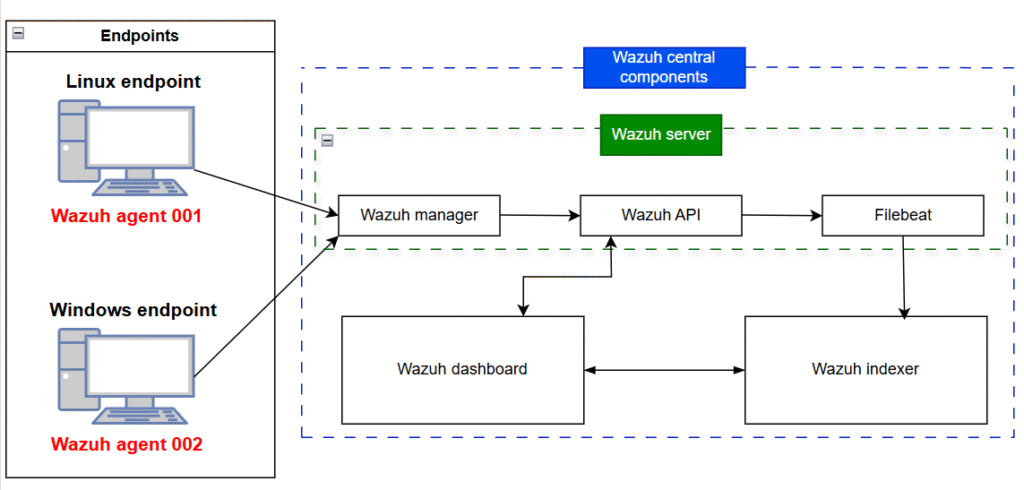
I – Installing the Wazuh manager on a Linux virtual machine
Open a terminal on the Linux machine and enter the following command. This will add Wazuh ‘s GPG key to verify Wazuh packages.
==================
curl -s https://packages.wazuh.com/key/GPG-KEY-WAZUH | sudo gpg --dearmor -o /usr/share/keyrings/wazuh-archive-keyring.gpg
==================
II – Download and execute Wazuh installation script
Enter the following command:
==================
curl -sO https://packages.wazuh.com/4.12/wazuh-install.sh && sudo bash ./wazuh-install.sh -a -i
==================
● -a: Installs all components (manager, indexer.)
● -i: Runs in interactive mode
The credentials are then displayed when the installation is complete

Check the ip address of your server with:
===================
ip a
===================

Open a web browser and type in your ip address. In my case, the ip address displayed above has to be entered in the browser:
===================
===================
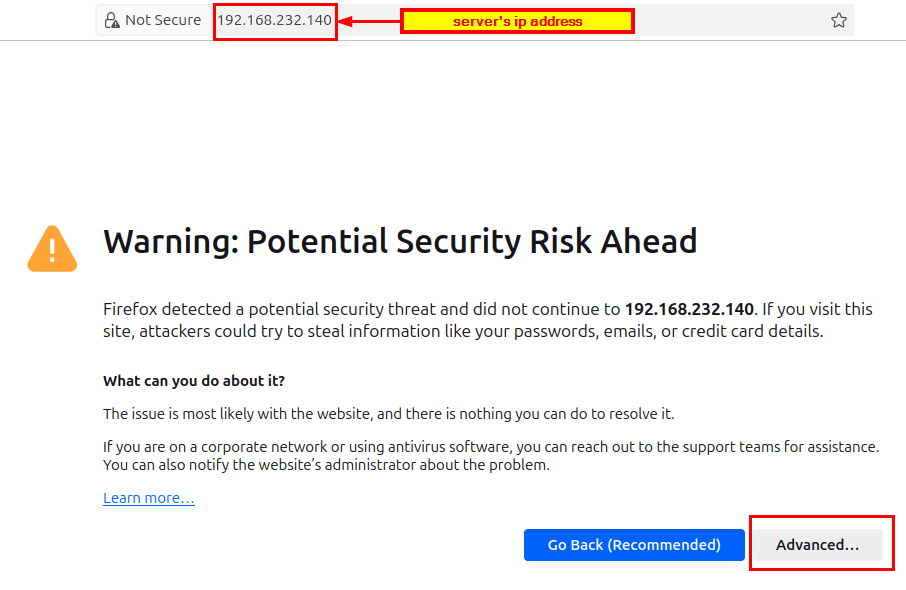
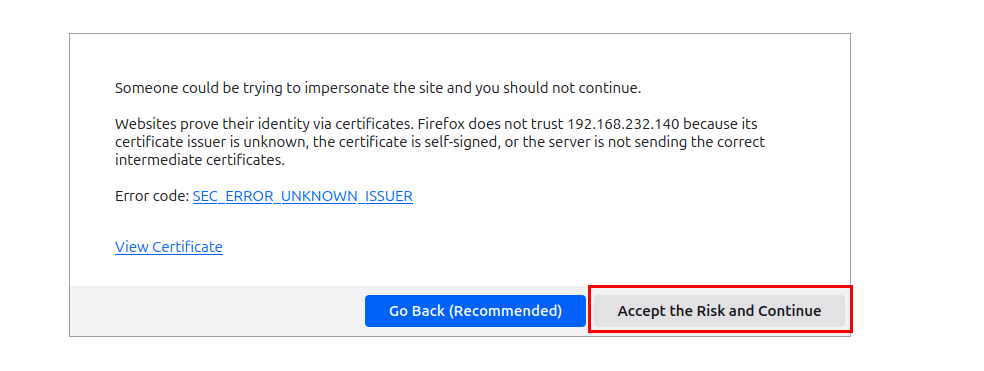
Click “Advanced” and “Accept the Risk and Continue”
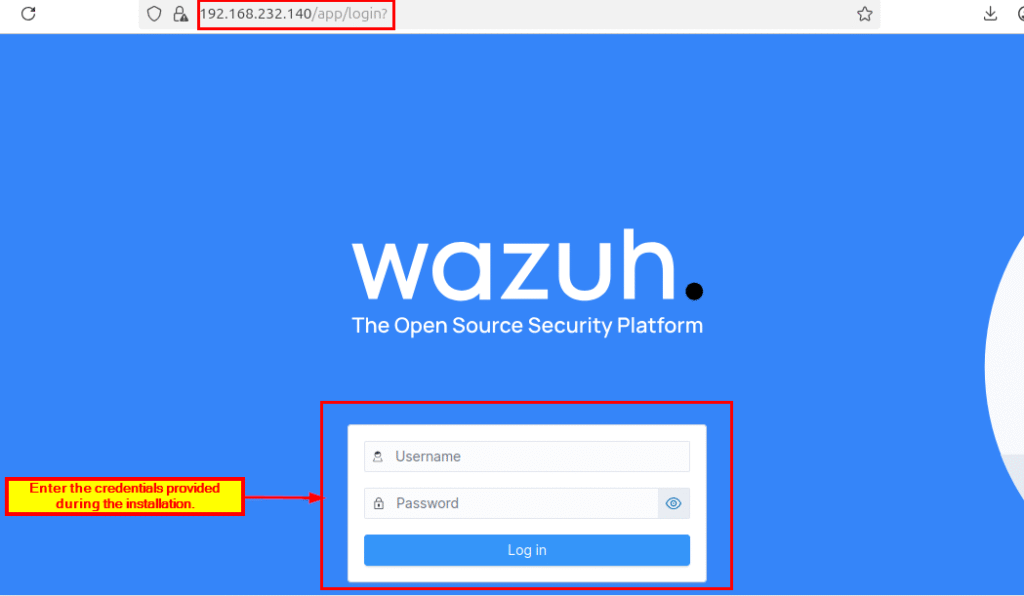
You will then be redirected to Wazuh manager’s login page. Enter the credentials provided during the installation.
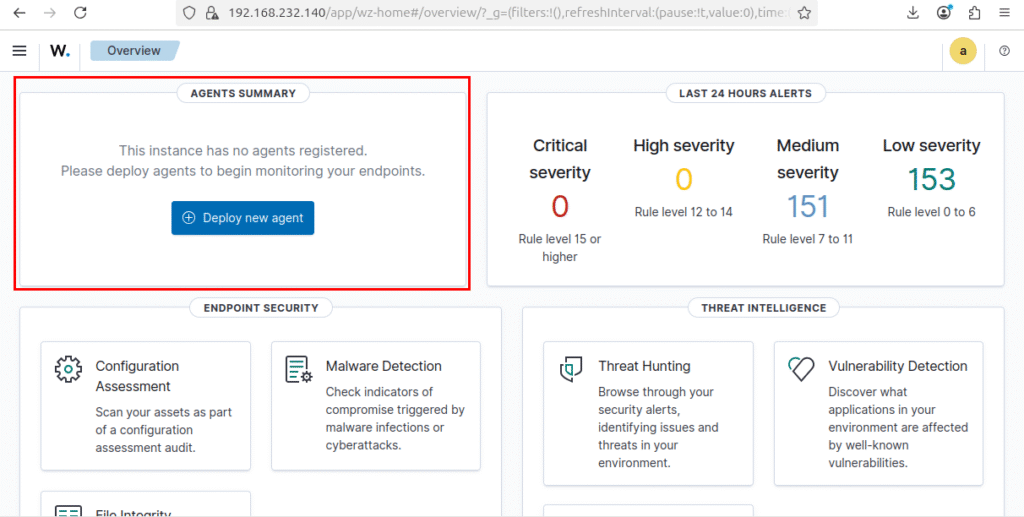
We are now logged into wazuh. Click “Deploy new agent” to enroll an endpoint.
Select the operating system of the endpoint. We will start with a windows machine.
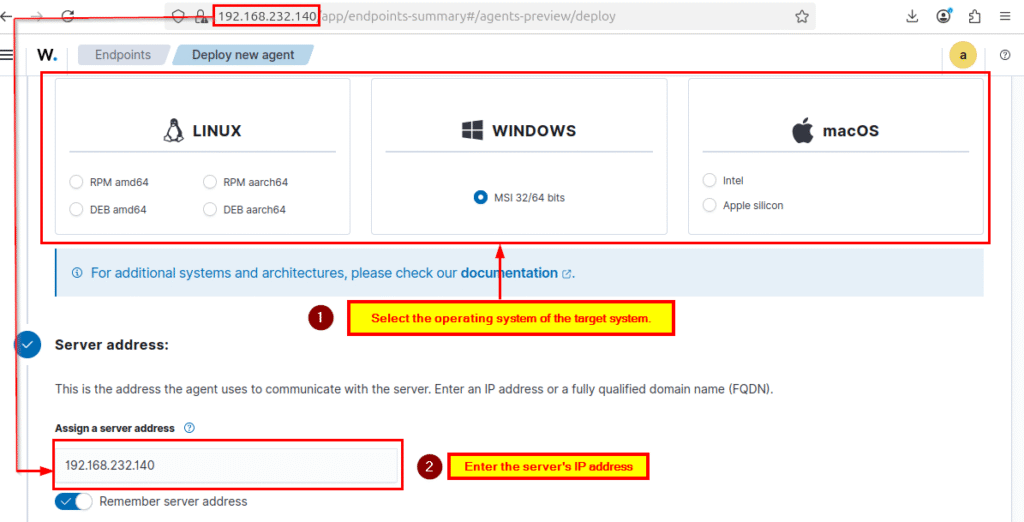
Visit https://documentation.wazuh.com/current/quickstart.html and select the target’s operating system.

Then download and run the Windows installer:
===================
https://packages.wazuh.com/4.x/windows/wazuh-agent-4.12.0-1.msi
===================
The manager IP and authentication key will then be required:
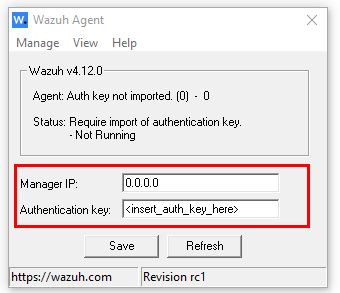
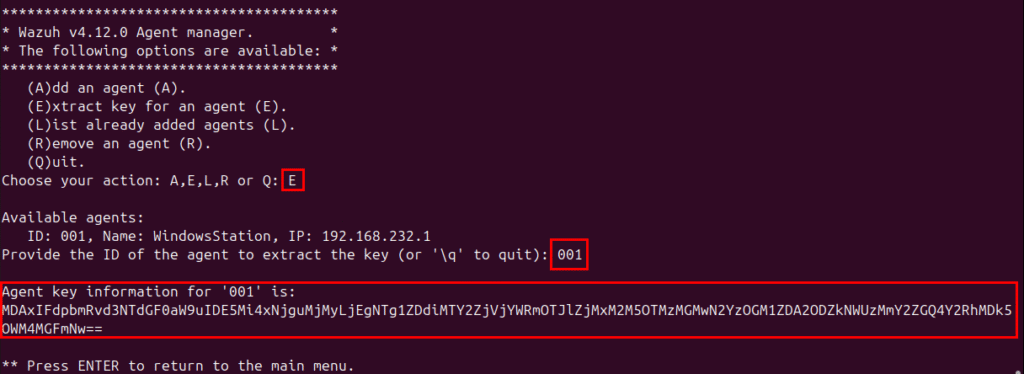
Generate the authentication key on Server manager (Linux virtual machine)
Run the agent management utility with the following command:
==================
sudo /var/ossec/bin/manage_agents
==================

After creation, select E to extract the key.
Enter the server’s ip address and generated key in the windows agent then press save:
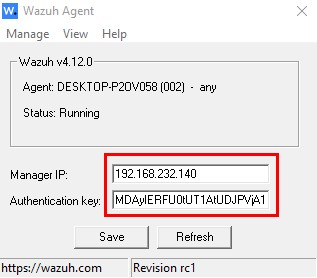
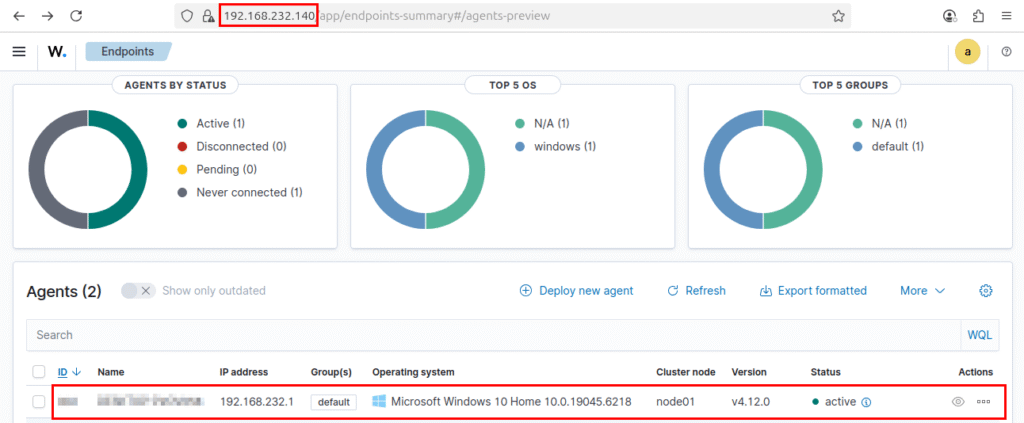
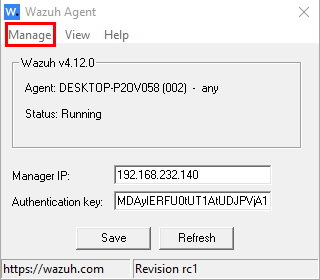
Restart the Wazuh agent (Manage —-> Restart). You will then see the endpoint onboarded on the Wazuh dashboard.
File integrity monitoring on Windows
Open the following configuration file in notepad (as administrator):
==============
C:\Program Files (x86)\ossec-agent\ossec.conf
==============
Add the following entry inside the Directory block (CTRL + F || search term = realtime)
<directories realtime="yes"> directory fullpath </directories>

Example:
<directories realtime="yes">C:\Users\Lenovo\Documents</directories>

This monitors the specified folder in real-time.
Save the file and restart the Wazuh agent:
Go back to the Wazuh server and open the file integrity monitoring section
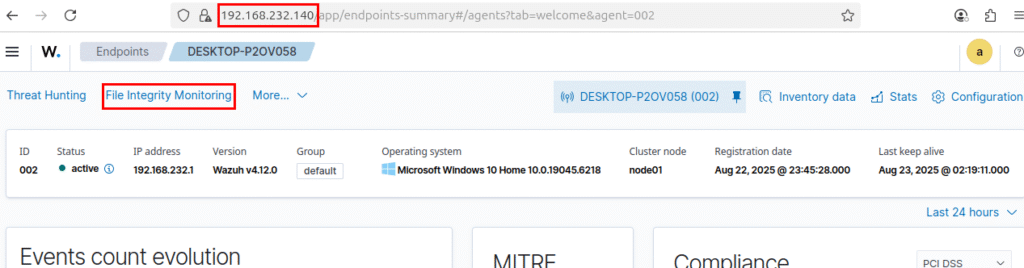
There is no event since no file was created in the specified directory.
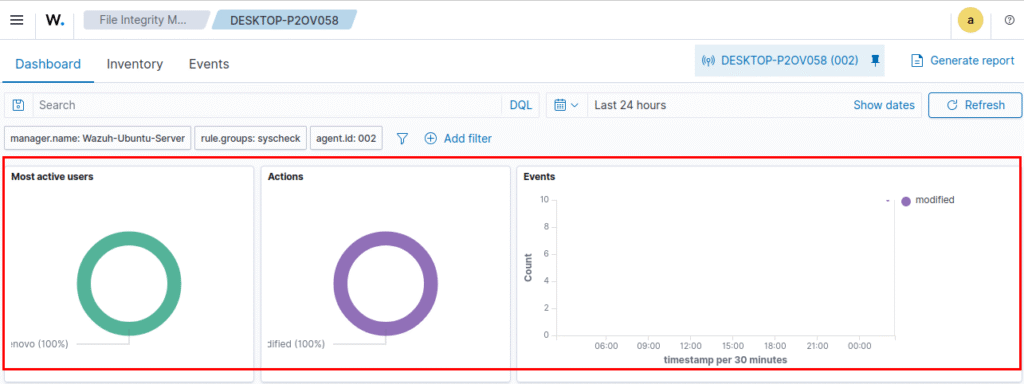
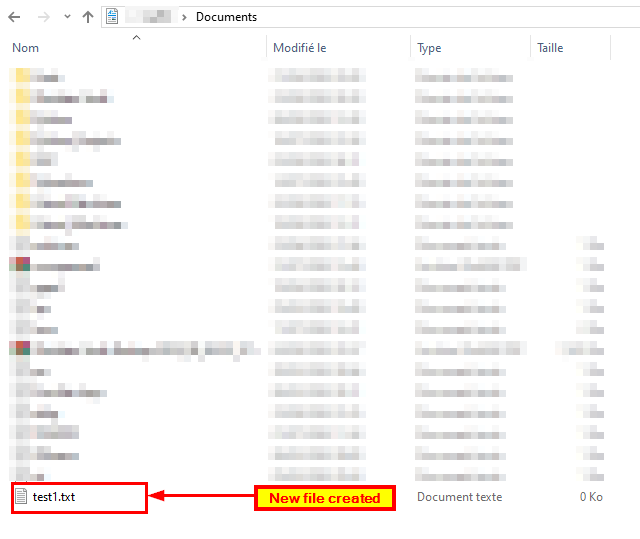
Go to the directory, create a file and go back to the Wazuh dashboard.
The file creation event is flagged on the Wazuh dashboard.The file integrity monitoring is successful.

Linux endpoint enrollment
Visit the following link:
=============
https://your-server-ip/app/endpoints-summary#/agents-preview
=============
Then “Deploy new agent”

Select your Linux OS and enter your server’s IP
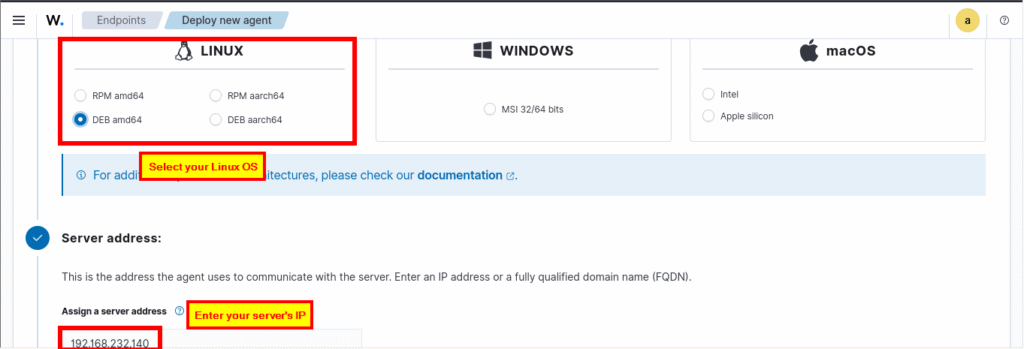
Assign an agent name

Then copy the code generated to the Linux endpoint you want to enroll
wget https://packages.wazuh.com/4.x/apt/pool/main/w/wazuh-agent/wazuh-agent_4.12.0-1_amd64.deb && sudo WAZUH_MANAGER='your-server-ip' WAZUH_AGENT_NAME='DebianUser' dpkg -i ./wazuh-agent_4.12.0-1_amd64.deb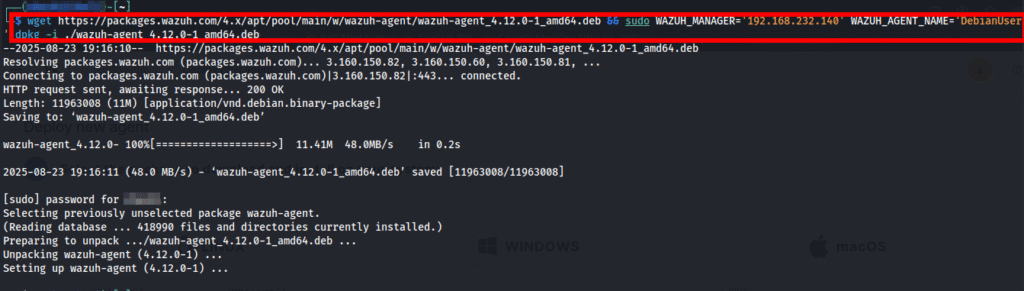
Start the agent on your Linux endpoint by running the following commands:
sudo systemctl daemon-reload

sudo systemctl enable wazuh-agent

sudo systemctl start wazuh-agent
Check if the Linux endpoint was effectively onboarded
Go back to the Wazuh dashboard and click on agents summary –> “Active”
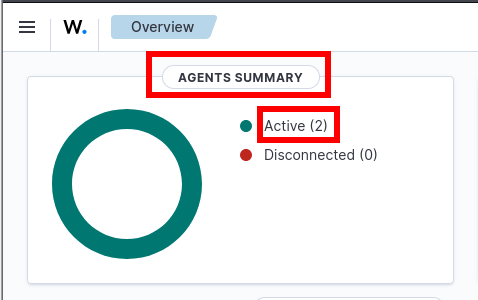
You will see that the Linux endpoint has been successfully onboarded on the SIEM.

Let’s test if events are recorded by the SIEM
Privilege escalation
Open your terminal on the freshly enrolled Linux endpoint and type the following commands:
===============
sudo bash
===============
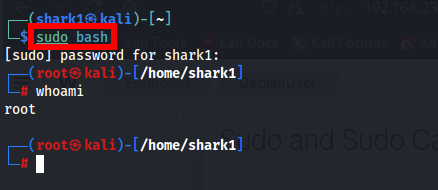
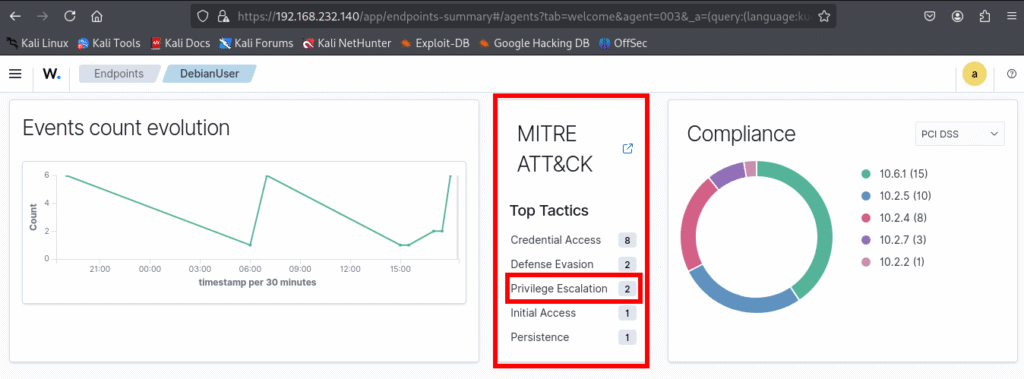
The privilege escalation event is recorded and flagged by the SIEM

Configuring FIM on the Wazuh agent
We will start by inserting a rule in the Wazuh manager that will be automatically deployed to all onboarded endpoints.
Deploying a rule via config file
Open your wazuh manager and go to the group section

Then edit group configuration

Edit the config file as follows then save the file

Restart wazuh-agent to apply modifications:
systemctl restart wazuh-agentThe new config will be automatically deployed to all enrolled Linux endpoints.
Create a new file in the monitored directory

The event will be automatically picked up by the file integrity monitoring system

We have successfully enrolled two endpoints into the SIEM and have enabled real-time file integrity monitoring.