
In this tutorial you will learn how to speed test your internet connection in the Linux command line.
1 – Check if curl is already installed on your server
which curl

curl is already installed on the server.
if not, run the following command
sudo apt install curl

You should now have curl installed on the server.
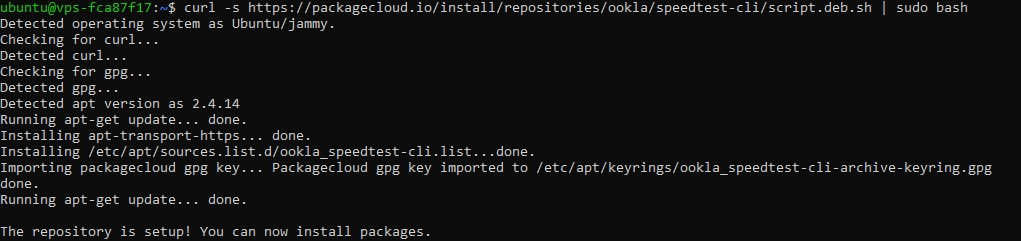
2 – Setup speedtest repository
curl -s https://packagecloud.io/install/repositories/ookla/speedtest-cli/script.deb.sh | sudo bash
3 – Install the command on the server
sudo apt-get install speedtest
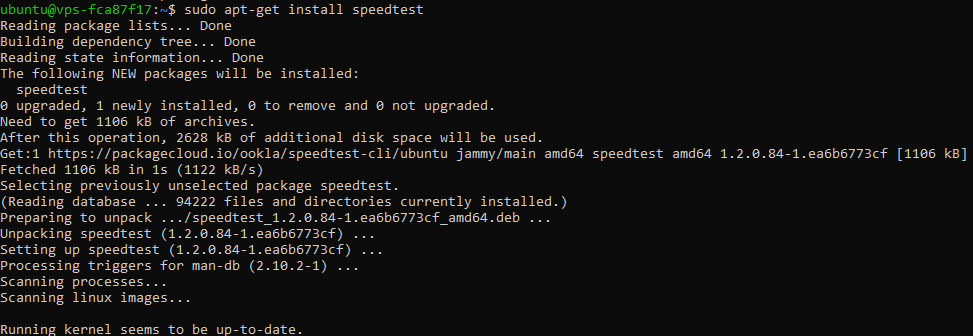
Speedtest is now installed on the server.
4 – Run a speed test
To run a speed test, you have to run the following command:
speedtest
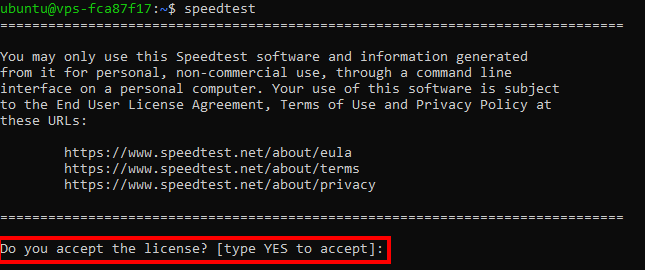
You will be prompted to accept the license before performing your first speed test.
Then the speed test result will be displayed in the terminal.
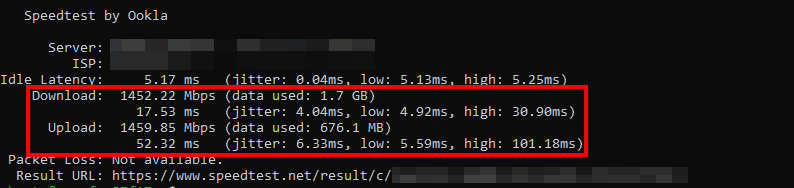
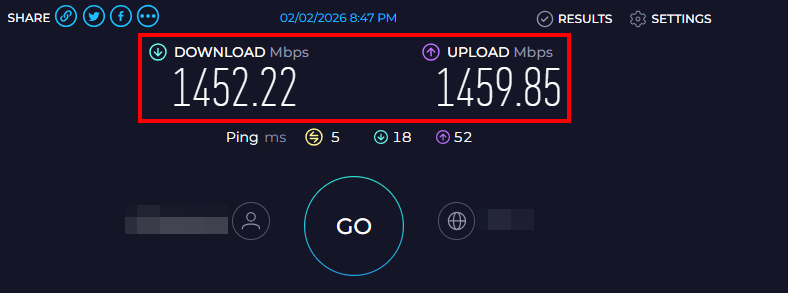
To view the result in your browser, visit the link provided with the result (result URL).
useful commands
To view the help menu and useful commands, run the following command:
speedtest -h
To view the speed results in:
GB/s
speedtest -u GB/s
MB/s
speedtest -u MB/s
KB/s
speedtest -u KB/s
B/s
speedtest -u B/s
